The short version
Buffer is a clean, simple scheduler that charges per channel — $5/channel/month on Essentials (annual), $10/channel/month on Team. Its AI writes text. That's it.
SonetHub charges flat rates from €0 to €129/month regardless of how many channels or team members you add. Its AI writes text, generates images, creates video, builds multi-step automation flows from a sentence, and runs your inbox with rich DM templates.
If you schedule posts to 2-3 channels and nothing else, Buffer is a solid, affordable pick. If you manage more accounts, work with a team, or want a tool that actively runs your social workflow, SonetHub is the better fit.
Pricing: per-channel vs flat-rate
This is where the two diverge most. Buffer charges per channel. SonetHub charges per plan.
Buffer's pricing (annual / monthly):
| Plan | Price | What you get |
|---|---|---|
| Free | $0 | 3 channels, 10 scheduled posts/channel queue |
| Essentials | $5/channel/mo annual ($6 monthly) | Unlimited scheduling, AI Assistant |
| Team | $10/channel/mo annual ($12 monthly) | Unlimited team members, approval workflows |
Buffer adds a volume discount past 10 channels — channels 11-25 drop to $3.33/channel on annual.
SonetHub's pricing:
| Plan | Price | Accounts | Team | Daily publishes |
|---|---|---|---|---|
| Free | €0 | 2 | 1 | 3/day (no monthly cap) |
| Starter | €15/mo (€12 annual) | 4 | 1 | 30/day |
| Growth | €29/mo | 8 | 2 | 100/day |
| Pro | €59/mo | 15 | 5 | 300/day |
| Business | €129/mo | 30 | 15 | 1,000/day |
Let's run the scenarios at annual billing:
Solo creator, 5 channels:
- Buffer Essentials: 5 × $5 = $25/mo
- SonetHub Starter: €12/mo (annual)
Small team, 10 channels:
- Buffer Team: 10 × $10 = $100/mo
- SonetHub Pro: €59/mo (includes 5 team members)
Agency, 15 channels, 5 people:
- Buffer Team: 15 × $10 = $150/mo
- SonetHub Pro: €59/mo
At 3 channels or fewer, Buffer and SonetHub cost roughly the same. The moment you cross that threshold, per-channel pricing starts to hurt. By 10 channels, you're paying ~2× more on Buffer Team than on SonetHub Pro — and SonetHub includes team members.
Free plans
Both have free plans, but they work differently.
Buffer Free: 3 channels with a 10-scheduled-posts-per-channel queue. Once a post publishes, the slot opens. There's also a lifetime limit of 8 unique channel connections. AI Assistant included with unlimited usage.
SonetHub Free: 2 accounts, 3 posts publishing per day, no monthly cap. Schedule unlimited drafts; the cron drips 3/day. Full AI chat agent included — text + image generation, analytics queries, automation tooling.
For pure scheduling at low volume Buffer Free is slightly more generous in queue size. SonetHub Free is more generous over time (~90 posts/month theoretical max vs Buffer's queue ceiling) and gives you the AI agent at zero cost.
AI: text rewrites vs first-party agent
Buffer's AI Assistant generates and rephrases text for social media posts. You brainstorm ideas, shorten or expand posts, adjust tone for different platforms, generate content topics through their Ideas board. It's text-only. For visuals, Buffer integrates with Canva — you leave Buffer, design in Canva, come back. Different workflow than having everything in one place.
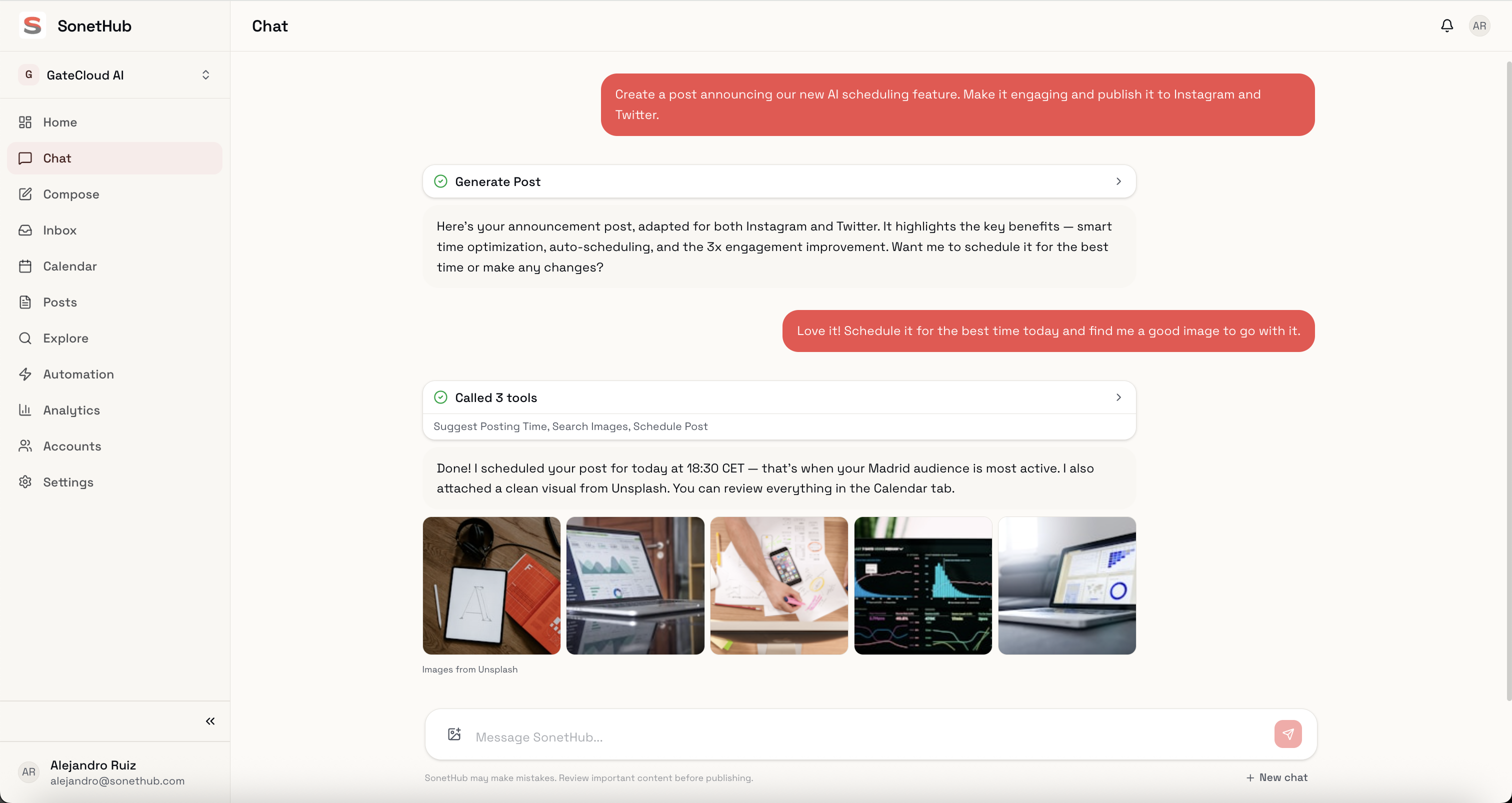
SonetHub's AI is the entire interface:
- "Write a LinkedIn post about our product launch and create a matching Instagram image" — writes the text, generates the image, formats both for their platforms, queues them.
- "Turn this blog post into a thread for X and a carousel for Instagram" — reads the URL, adapts the content, creates platform-specific versions.
- "What should I post today?" — checks your analytics, considers your brand memory, suggests content with the right tone.
- "Build me a flow that DMs new commenters the pricing link" — opens the automation canvas with the trigger and steps pre-filled.
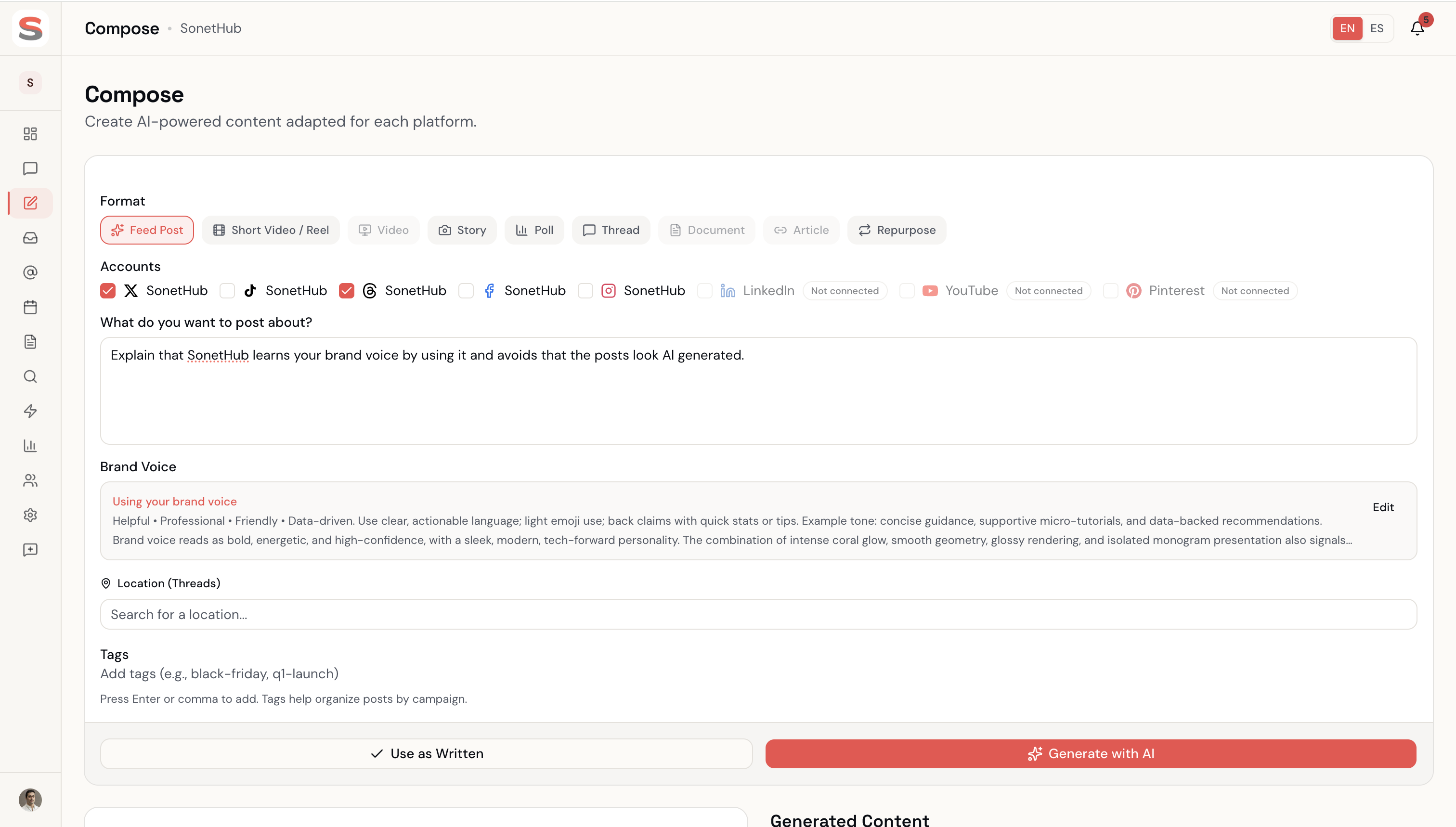
SonetHub generates images, video, and music inline. The AI also learns your brand voice from every edit you make — after a couple of weeks, the output stops sounding like a template. Buffer doesn't have an equivalent; each generation starts from scratch.
Automations + inbox: the gap
Buffer has a Reply tool (inbox for Instagram/Facebook/X comments) and basic engagement. There's no rules engine, no flows, no contact layer.
SonetHub has a full automation engine:
- A node-graph canvas for building multi-step rules
- Trigger sources: comments, @mentions, story replies (DMs that replied to your IG stories), direct messages
delay+wait_for_reply+if_elsebranching for real conversational flows- Rich DMs as a step kind: media attachments, quick-reply buttons, Meta Button + Card templates
- Contacts + tagging — every commenter/DMer becomes a contact with custom fields and tags
- "Build with AI" — describe an automation in a sentence; the agent assembles it
This whole layer doesn't exist in Buffer.
Platform support
| Platform | SonetHub | Buffer |
|---|---|---|
| ✓ + stories, reels, story-reply triggers | ✓ | |
| ✓ | ✓ | |
| X (Twitter) | ✓ | ✓ |
| ✓ | ✓ | |
| TikTok | ✓ + Business API analytics | ✓ |
| YouTube | ✓ + retention curves, traffic sources | ✓ (Shorts) |
| Threads | ✓ | ✓ |
| ✓ | ✓ | |
| Bluesky | ✓ | ✓ |
| Mastodon | — | ✓ |
| Google Business | — | ✓ |
Buffer covers two platforms we don't (Mastodon and Google Business). SonetHub goes deeper on the ones it covers — story import, retention curves, Business API integration on TikTok, traffic-source analysis on YouTube.
What users complain about
Buffer carries a 2.1/5 rating on Trustpilot from 93 reviews. The recurring complaints are about scheduled posts silently failing to publish — multiple reviewers mention having to verify every day that posts actually went out. The G2 rating tells a different story (4.3/5 from 1,000+ reviews), but the publishing reliability issues are real enough to show up consistently.
Other recurring complaints: missing best-time-to-post suggestions, support replies from different people with no context of previous conversations, and the queue cap forcing constant refills.
Where Buffer wins
Three real things:
- Simplicity for pure scheduling. Buffer is one of the cleanest schedulers around. If all you need is a queue and a calendar, it's hard to beat.
- Mastodon + Google Business coverage. Two platforms we don't ship yet. If those are core to your strategy, Buffer has them.
- Cheap for 1-3 channels. At $5-6/channel, managing 2-3 accounts costs $10-18/month — same ballpark as SonetHub Starter at €12-15/month for 4 accounts.
Where SonetHub wins
- Price at scale. Past 3 channels, flat-rate pricing pulls ahead fast. 15 accounts + 5 team members for €59/mo — Buffer Team would charge ~$150/mo for the same channel count.
- First-party AI agent. Text + images + video + music in one conversation. Buffer writes text and connects to Canva for everything else.
- Brand memory. AI learns your voice from your edits. Buffer's generations start from scratch each time.
- A real automation engine. Multi-step flows with delays, wait-for-reply, branching. Story-reply triggers. Rich DMs with buttons + templates. Contacts + tagging. None of this is in Buffer.
- Unified inbox with AI classification. DMs sorted by importance, AI-drafted replies, business inquiry detection. Buffer has Reply but no AI classification layer.
- EU-native, GDPR-by-default. Spanish legal entity, data processed in the EU.
Who should pick what
Pick Buffer if:
- You manage 1-3 channels and need the simplest scheduling tool
- Mastodon or Google Business Profile are core platforms
- You already have a visual workflow with Canva and just need a posting tool
- You only need a queue, calendar, and basic engagement
Pick SonetHub if:
- You manage 5+ social accounts and don't want your bill to scale per channel
- You work with a team and refuse to pay per-seat or per-channel
- You want AI that generates images and video, not just text
- You want automations handling the inbox while you sleep
- Data privacy and EU hosting matter to your business
The bottom line
Buffer is a clean scheduler with a text-AI button. SonetHub is an AI agent + automation engine + multimodal generator + inbox + scheduler — at a flat price that doesn't punish you for adding channels or people.
All prices exclude applicable taxes.